Quiz
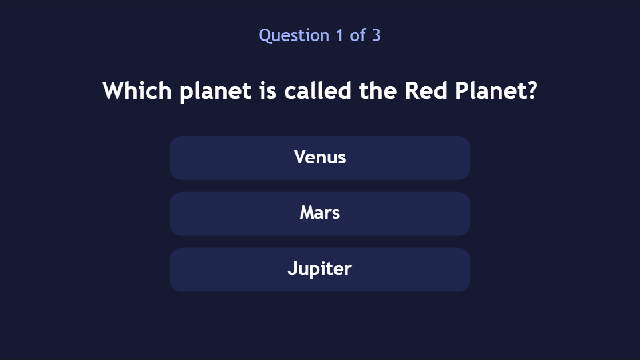
A quick three-question quiz. Each question has its own screen with three answers:
- Pick the right one: a happy sound plays and the next question opens.
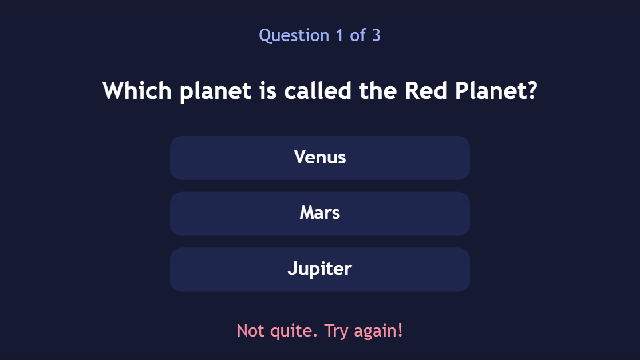
- Pick a wrong one: a buzz plays and Not quite. Try again! appears.
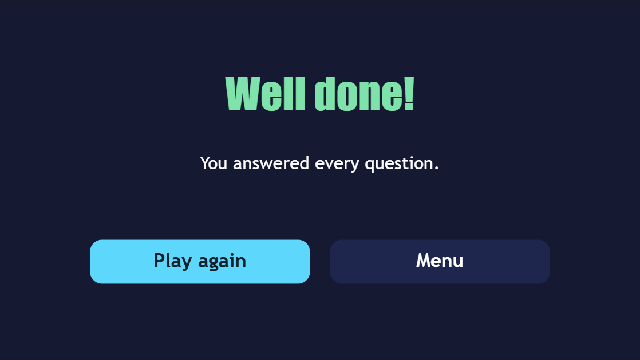
- Answer all three: you reach the Well done! screen.
There's no code in this project. Every answer is a button with two actions. You decide what happens by choosing which actions each button gets.
What you'll learn
- Planning a game as a chain of screens.
- Giving different buttons different actions: the same click, very different results.
- Showing a hidden control with the
set_visibleaction. - Making sound effects for right and wrong answers.
Glossary
| Word | What it means |
|---|---|
| Screen | One page of your game. Here: the title, one screen per question, and the end. |
| Event | Something that happens to a control. Every answer uses click. |
| Action | Something that happens because of an event: play_sound, open_ui (open a screen) or set_visible (show or hide a control). |
| Target | For some actions, the control they change. For set_visible, the label to show. |
| Value | What the action does to its target. For set_visible, true (show) or false (hide). For open_ui, the screen to open. |
| Visible | A tickbox in a control's Properties. Untick it and the control starts hidden. |
Rebuild it from scratch
1. Plan the screens
Before you click anything, write the chain down:
title → q1 → q2 → q3 → doneEach question screen only needs to know one thing: which screen comes next.
2. The project and its sounds
- File → New project, named
Quizwith the Idquiz. In Project → Project settings…, set Made for to Web & desktop only. - Open Project → Sound effect maker… and make three sounds. Name each one and click Save:
rightwith Power-upwrongwith Hurtclickwith Blip
3. The screens
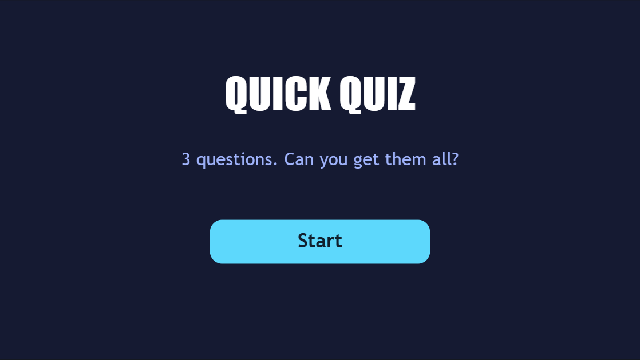
- Make five screens, all 320 × 180:
title(tick Main screen),q1,q2,q3anddone. - Give each one a dark background Panel that fills it.
| Title | Well done! |
|---|---|
 |  |
- On
title: a big label, a hint, and a Start button. Itsclickgetsplay_sound(quiz:click) andopen_ui(q1). - On
done:Well done!, a Play again button (open_uiq1) and a Menu button (open_uititle).
4. A question screen
On q1, add:
- A small label at the top:
Question 1 of 3. - A bigger label,
question:Which planet is called the Red Planet? - Three buttons,
answer1,answer2andanswer3:Venus,MarsandJupiter. - A label called
try_againat the bottom:Not quite. Try again!, in red. In Properties, under Behavior, untick Visible so it starts hidden.
5. The answers' actions
Select each answer button, open the Events tab, pick click, and use + Add action.
The right answer (Mars) gets:
| Type | Target | Value |
|---|---|---|
play_sound | quiz:right | |
open_ui | q2 |
Each wrong answer (Venus, Jupiter) gets:
| Type | Target | Value |
|---|---|---|
play_sound | quiz:wrong | |
set_visible | try_again | true |
6. The other questions
- Duplicate the idea for
q2andq3. Copy the controls fromq1(Ctrl+C), switch screens, and paste (Ctrl+V). - Change the texts, and move the right answer around so it isn't always the same button:
q2: What do bees make? Honey (right), Milk, Silk. The right answer opensq3.q3: How many legs does a spider have? Six, Ten, Eight (right). The right answer opensdone.
7. Play it
Press Preview (F5). Try a wrong answer first, then the right one.
How it works
- The screens are the game. There's no score to keep. Being on screen
q2means you got question 1 right. - Same event, different actions. All nine answer buttons use
click. Only their actions differ, and that's what makes one right and the others wrong. - A hidden control waits its turn.
try_againis on the screen all along, just not visible.set_visibleshows it. When you move to the next question, that screen's owntry_againstarts hidden again.
Make it yours
- Ask your own questions, and add more: one more screen per question, and point the previous question's right answer at it.
- Give the wrong answers different messages, each its own hidden label.
- Add a picture question: put an Image above the answers.
- Want a score out of 3? You'd need to count right answers across screens. For now, keep every question on one screen and use a script like the one in Star clicker.