Star catcher
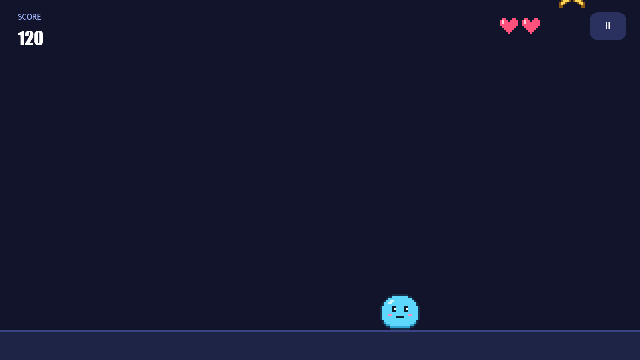
Stars fall from the sky. Move left and right to catch them: each one is worth 10 points. Miss three and it's game over. The longer you last, the faster they fall and the more of them there are.
It's a small game, but a complete one. It has pause, game over with a best score, play again, touch controls, and a leaderboard on Arcadia that works as soon as you publish. Everything happens on one screen, run by one script, scripts/client/game.js. The pause menu and the game-over screen are overlays on top of the game, shown and hidden by a single variable.
It's the gentle way into the Advanced templates. Once it makes sense, Adventure takes the same ideas much further.
What you'll learn
- Running a whole game from one script: a tick loop, and all of the game's state in one variable.
- Splitting a game into modes (
play,paused,over) and letting overlays follow the mode with VisibleIf. - Making many copies of one control with
ui.spawn, and finding and removing them again. - Catching things with a trigger event, and noticing misses in the loop.
- Pausing a game that the physics engine is moving.
- Hooking a game up to the Arcadia leaderboard.
- Steering with the keyboard, a gamepad or a finger.
Glossary
| Word | What it means here |
|---|---|
| Tick | The screen event that runs every 16 ms. The game loop. |
g | The screen variable holding everything the game remembers, as JSON: score, lives, time, the mode… |
| Mode | What the game is doing: play, paused or over. Kept in g, and copied into the screen variable mode for the overlays and the leaderboard. |
| Overlay | Controls drawn on top of the game (a dark panel, a title, buttons) with VisibleIf mode == 'paused' or mode == 'over'. |
| Template control | The hidden star image. The game never shows it, only copies it. |
| Spawn | ui.spawn('star', x, y, {vy}) makes a moving copy, with an ID like star~3. |
| Trigger | A body other things pass through, which reports trigger_enter. The stars are triggers. |
| Leaderboard trigger | The condition that means "a run just ended", so Arcadia should record the score. Here it's mode equals over. |
Rebuild it from scratch
1. Project, controls and art
- File → New project (Id
starcatcher), and set Made for to Web & desktop only. - In Advanced → Inputs, make four inputs:
| Input | Keys | Gamepad |
|---|---|---|
left | Left, A | D-pad left, left stick left |
right | Right, D | D-pad right, left stick right |
pause | Escape, P | Start |
confirm | Enter, Space | A |
- In the Pixel editor, draw:
- a 20 × 18 player with two frames (the second one blinking)
- a 15 × 15 star
- a 9 × 8 heart
- In the Sound effect maker, make four sounds:
catch(Coin),miss(Hurt),gameoverandstart(Power-up).
2. The title screen
- A 640 × 360 screen,
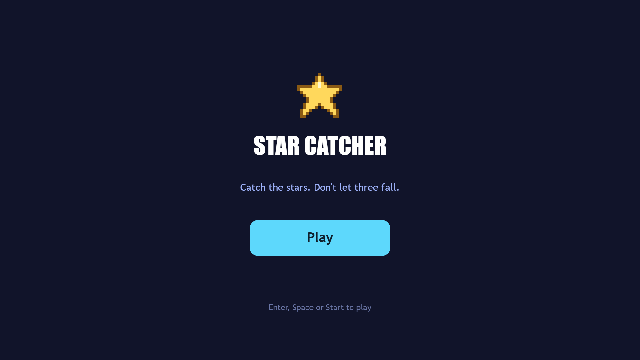
title, set as the Main screen, with the star picture, the name and a Play button. - Both the button's
clickand the screen'sinput_pressedget the actionopen_uigame, so any key starts the game. - The bobbing star is an animation (
bob) on itsy, with Loop and Autoplay ticked.
3. The game screen
A 640 × 360 screen, game. In Screen settings:
- Tick interval 16
- Clip to screen ticked, so stars appearing above the top aren't drawn
- Variables
mode=play;score=0;best=0;g=
Then add, from back to front:
- A dark sky panel, and a ground panel along the bottom (y 330).
player: a Sprite with the player sheet. Its clip isidle: 0,0,0,0,0,0,0,0,0,0,0,0,1 @6, so it blinks now and then. Give it a Kinematic body with a box collider.star: an Image of the star, 30 × 30. Untick Visible. Give it a Kinematic body with a circle collider, and tick Trigger. This is the template for every falling star.- The HUD:
- a
SCOREcaption and ascorelabel - three hearts,
heart1toheart3 - a pause button,
pause_button(textII), with VisibleIfmode != 'over'
- a
- Four Sound controls:
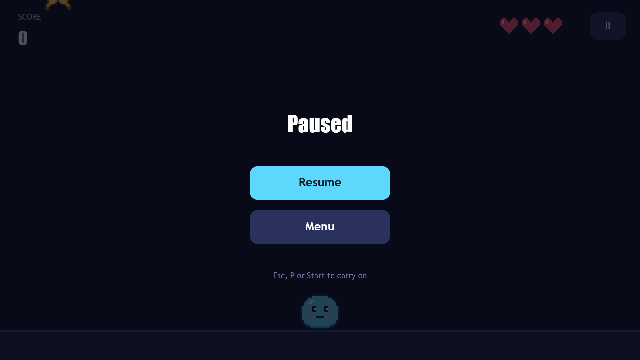
snd_catch,snd_miss,snd_overandsnd_start. - The pause overlay, all with VisibleIf
mode == 'paused':- a dark see-through panel over everything
- a
Pausedtitle resumeandpause_menubuttons- a hint
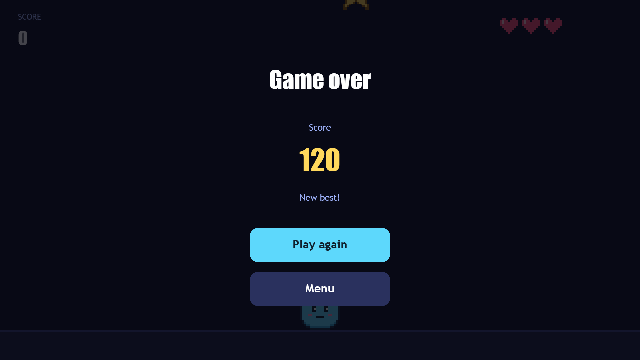
- The game-over overlay, all with VisibleIf
mode == 'over':- the same dark panel
Game overover_scoreandover_bestlabelsagainandover_menubuttons
| Paused | Game over |
|---|---|
 |  |
4. The script and the events
Create scripts/client/game.js (the template's copy is commented throughout) and wire it up:
| Where | Event | Runs |
|---|---|---|
Screen game | open | open |
Screen game | tick | tick |
Screen game | input_pressed | input |
player | trigger_enter | caught |
pause_button | click | pauseButton |
resume | click | resumeButton |
again | click | againButton |
pause_menu, over_menu | click | no script: the action open_ui title |
The Menu buttons use an action because only actions can switch screens.
5. The leaderboard
Open File → Publish to Arcadia… and tick Keep a leaderboard for this game. Then:
- The score comes from the variable
score. - A run ends when the variable
modeequalsover.
The template's project already has these settings. Just give your game a title and publish.
How it works
One loop, one state, three modes
open builds a fresh game with newGame and saves it into g. From then on, every handler starts with load(ctx) and ends with save(ctx, g), so nothing is lost between frames.
tick works out how long it's been since the last frame, from the clock, so the game runs at the same speed on every computer. It only does the game's work in play:
var now = Date.now(), dt = Math.min(0.05, Math.max(0, (now - g.t) / 1000)); g.t = now;
if (g.m === 'play') play(ctx, g, dt);
setMode changes the mode in g and in the screen variable mode. That one line is what shows the right overlay, because every overlay control has a VisibleIf that watches mode. The script never shows or hides the menus itself.
Spawning, catching and missing
play counts down to the next star. When it's time, it copies the hidden template:
ctx.ui.spawn('star', 20 + Math.random() * (WIDTH - 70), -30, { vy: Math.min(FALL_MAX, FALL_START + g.time * FALL_GROWTH) });The engine moves each copy down at its vy. The script doesn't move stars at all. Both the gap between stars and their speed come from g.time, which is why the game gets harder.
- Catches come to the script: the player's
trigger_enterrunscaughtwith the star's ID inctx.value. It removes that star (ui.despawn), addsPOINTS, and plays the sound. - Misses the script has to look for. Each frame,
playasks for every live copy withui.instancesOf('star')and checks whether any has reached the ground. On the last life it callsgameOver, which clears every star, including that one, so nothing is removed twice.
Pausing things the engine moves
Stopping the loop isn't enough, because the engine would keep moving the stars. So pause stores each star's speed in g.held and sets it to zero. resume gives every star its speed back:
for (var i = 0; i < s.length; i++) { g.held[s[i]] = ctx.ui.getElement(s[i]).vy; ctx.ui.setVelocity(s[i], 0, 0); }resume also resets g.t, so the first frame after a long pause doesn't think that much time passed.
Keyboard, gamepad and touch together
movePlayer checks the pointer first. ctx.input.pointer() is the latest finger or mouse press that didn't land on a button. While it's held, the player walks towards it, never faster than PLAYER_SPEED. Otherwise the player moves by right − left, which works for keys, the d-pad and the stick alike, since axis is 0 to 1.
The leaderboard hookup
Arcadia reads your game's variables while it runs, and records a score each time the run ended condition turns from false to true. That's why the script:
- keeps
scoreup to date as it changes (showScore), and - sets
modetooverexactly once per run (gameOver), and back toplaywhen a new run starts (newGame).
The best score (best) is only kept while the game screen is open. The leaderboard is where scores last.
Make it yours
- Tune it: every number worth changing is at the top of
game.js:PLAYER_SPEED,LIVES,POINTS,FALL_START,FALL_GROWTH,FALL_MAX,SPAWN_STARTandSPAWN_MIN. - A second kind of thing to catch: make another hidden template (a gem worth 50, say), spawn it now and then, and check its ID prefix in
caught. - Things to dodge: spawn a rock template that costs a life in
caughtinstead of scoring. - A new game with the same frame: keep the modes, overlays, pause and leaderboard, and replace
playandcaughtwith your own rules.